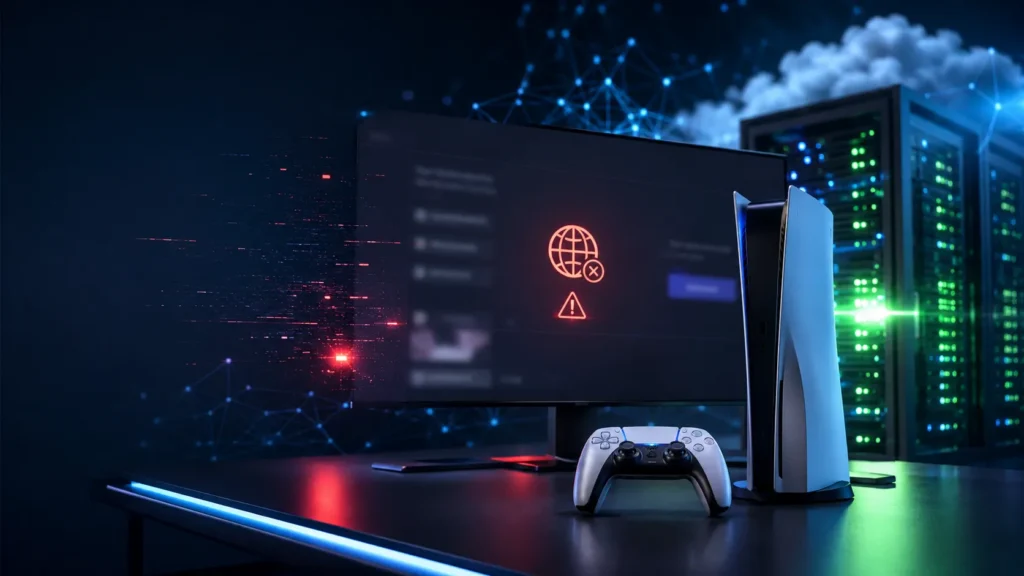
If you tried to play games online today and wondered, “Is PSN down?”, you were not alone. Thousands of PlayStation users around the world experienced problems connecting to the PlayStation Network (PSN). Players reported issues signing in, accessing the PlayStation Store, launching online games, and using multiplayer features.
The good news is that PSN has now been restored, and most services are working normally again. If you are still having trouble connecting, there are a few simple steps you can try, which we will cover later in this guide.
In this article, you will learn what happened, how the outage affected players, how to check the PSN server status, and what to do if PlayStation Network is still not working on your console.
What Is PSN?
PSN, or PlayStation Network, is Sony’s online gaming service for PlayStation consoles. It allows users to:
- Play multiplayer games online
- Buy and download games from the PlayStation Store
- Chat with friends through voice and messages
- Save game data using cloud storage
- Access PlayStation Plus benefits
- Download updates and digital content
Whenever PSN experiences technical problems, many of these services stop working, even if your internet connection is perfectly fine.
Was PSN Down Today?
Yes. PlayStation Network experienced a widespread outage that affected users in several regions. During the outage, many players reported that they could not:
- Sign in to their PlayStation account
- Join online multiplayer matches
- Open the PlayStation Store
- Download games or updates
- View their friends list
- Sync cloud saves
Reports quickly increased on outage tracking websites and social media as players tried to understand whether the issue was affecting only them or everyone else.
Sony later restored the affected services, and most users can now access PSN without any major issues.
What Caused the PSN Outage?
At the time of the outage, the exact reason was not immediately shared publicly. Large online services occasionally experience interruptions because of:
- Server maintenance
- Unexpected technical issues
- Network infrastructure failures
- Software deployment problems
- High traffic causing temporary instability
Not every outage is caused by cyberattacks or security incidents. In many cases, service interruptions are resolved by Sony’s engineering teams after identifying and fixing the underlying issue.
Until Sony provides an official explanation, it is best to avoid speculation.
How Did the Outage Affect Players?
For many players, the outage interrupted planned gaming sessions. Some users were unable to access games they had already purchased digitally because license verification depends on PSN.
Others experienced problems with:
- Matchmaking
- Trophy synchronization
- Party chat
- Friend invitations
- Digital purchases
- Game downloads
Competitive players and those participating in scheduled multiplayer events were especially affected because they could not connect to game servers.
Is PSN Back Up Now?
Yes. According to recent reports, PlayStation Network services have been restored.
Many players have confirmed that they are once again able to:
- Sign in successfully
- Play online games
- Browse the PlayStation Store
- Download updates
- Access PlayStation Plus features
- Use party chat and messaging
If you are still seeing connection errors, the problem may now be related to your local network rather than the global PSN service.
How to Check If PSN Is Down
If you suspect another outage in the future, you can quickly verify the service status.
Here are the best ways to check:
Visit the Official PlayStation Network Status Page
Sony provides a live service status page showing whether gaming, account management, PlayStation Store, or other services are experiencing problems.
If there is a widespread outage, it will usually appear there.
Check Community Reports
Many players report problems on community driven outage tracking websites within minutes of an issue beginning.
A sudden increase in reports often indicates a broader service problem.
Look at Social Media
Many gamers share screenshots, error codes, and updates on platforms like X and Reddit during major outages.
If thousands of users are discussing the same issue, it is likely not limited to your console.
What to Do If PSN Is Still Not Working
Even after services are restored, some players may continue experiencing connection problems.
Try these simple solutions.
Restart Your Console
Turn your PlayStation completely off instead of putting it into Rest Mode.
Wait for about one minute before turning it back on.
Restart Your Internet Router
Sometimes your router continues using an older network session after a service outage.
Restarting it may refresh your connection.
Test Your Internet Connection
Go to:
Settings > Network > Test Internet Connection
This helps verify whether your console is connected properly.
Sign Out and Sign In Again
Logging out of your PlayStation account and signing back in can refresh your authentication with PSN.
Update Your System Software
Running outdated firmware can sometimes create connection issues.
Install any available PlayStation system updates before trying again.
Wait a Little Longer
After large outages, millions of users reconnect at nearly the same time.
Some services may take additional time to stabilize completely.
Common PSN Error Messages During an Outage
During service interruptions, players may encounter different error messages.
Some common examples include:
- Sign in failed
- PlayStation Network unavailable
- Cannot connect to server
- Network connection timed out
- PlayStation Store unavailable
- License verification failed
These messages do not always mean there is a problem with your console.
If many players are reporting similar issues, the cause is likely a server side problem.
Does a PSN Outage Affect Offline Games?
Not always.
Many single player games continue working without PSN.
However, some digital games may temporarily require online license verification, especially if the console is not set as your primary PlayStation device.
Online only games generally cannot be played until PSN services return.
Features that usually stop working during an outage include:
- Online multiplayer
- Cloud saves
- Digital purchases
- Party chat
- Friend lists
- PlayStation Store access
How Often Does PSN Go Down?
Large PlayStation Network outages are relatively uncommon.
Most maintenance windows are scheduled in advance and have little impact on players.
Unexpected outages can happen from time to time, but Sony typically works to restore services as quickly as possible.
The duration varies depending on the cause. Some outages last only a few minutes, while others may continue for several hours.
Can You Prevent PSN Outages?
No.
Because PlayStation Network is operated by Sony, players cannot prevent server side outages.
However, you can reduce confusion by:
- Keeping your console updated
- Using a stable internet connection
- Following official PlayStation announcements
- Checking the PSN status before troubleshooting your own network
Doing this can save time and help you determine whether the issue is local or affecting everyone.
What Should You Do During a PSN Outage?
If PSN goes down again, there is usually no need to reset your console repeatedly.
Instead:
- Confirm whether PSN is experiencing issues.
- Wait for official updates.
- Avoid changing important network settings unless necessary.
- Play offline games if available.
- Check back after some time.
Most widespread outages are resolved by Sony without any action required from users.
Final Thoughts
The recent PlayStation Network outage left many players unable to access online gaming, digital purchases, and other important PSN features for several hours. Fortunately, PSN has now been restored, and most users can connect without any problems.
If you continue experiencing issues, start by checking the official PSN service status before changing your network settings. In many cases, waiting a short time after a large outage is all that is needed for services to return to normal.
As online gaming platforms continue to grow, occasional service interruptions are unavoidable. Staying informed and following official updates can help you quickly determine whether the problem is with PlayStation Network or your own internet connection, allowing you to get back to gaming with less frustration.
Frequently Asked Questions (FAQ)
Is PSN back online now?
Yes. The recent outage has been resolved, and most PlayStation Network services are working normally again.
Why could I not sign in to PSN?
If the outage occurred while you were trying to log in, Sony’s servers may have been temporarily unavailable. If the service has been restored and you still cannot sign in, restart your console and verify your internet connection.
Does PSN maintenance affect multiplayer games?
Yes. During maintenance or outages, online multiplayer, party chat, cloud saves, and other network features may be unavailable.
How do I know if the problem is with PSN or my internet?
Check the official PlayStation Network service status first. If there are no reported issues, test your internet connection and restart your router and console.
Will I lose my game progress during a PSN outage?
No. Your local game saves remain on your console. However, cloud save synchronization may pause until PSN services are fully restored.