Many racing games can run smoothly on a low-end PC without a dedicated NVIDIA or AMD graphics card. If your computer uses integrated graphics such as Intel UHD, Intel Iris Xe, or AMD Radeon Graphics, you can still enjoy racing, drifting, car customization, and multiplayer gameplay.
In this guide, we cover the best racing games for low-end PCs, including lightweight games for 4GB RAM computers, older laptops, and systems without a dedicated GPU. We also explain the best graphics settings and how to fix low FPS, lag, stuttering, and crashes.
Note: In this article, “without a graphics card” means without a dedicated graphics card. Every computer still needs some type of graphics processor, such as integrated Intel or AMD graphics.
Quick Answer
The best racing games for low-end PCs without a dedicated GPU include:
- TrackMania Nations Forever
- Need for Speed: Most Wanted
- FlatOut 2
- Live for Speed
- Absolute Drift
- Horizon Chase Turbo
- Asphalt 8: Airborne
- GeneRally 2
For very old computers, start with TrackMania Nations Forever, Live for Speed, or GeneRally 2. If you want street racing, Need for Speed: Most Wanted is an excellent choice. For drifting, choose Absolute Drift.
Best Racing Games for Low-End PC
1. TrackMania Nations Forever
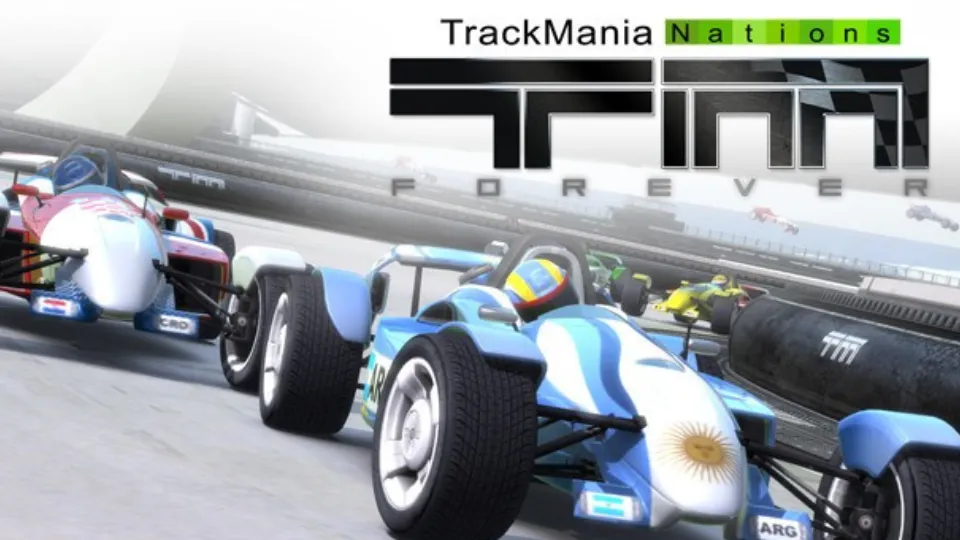
TrackMania Nations Forever is one of the best racing games for low-end PCs. It focuses on speed, time trials, difficult tracks, jumps, loops, and competitive racing.
The game has simple graphics and lightweight performance, making it suitable for older laptops and computers with integrated graphics. The tracks are easy to understand but difficult to master, so the game remains challenging even after many hours.
Main features:
- Fast arcade racing
- Time-trial competitions
- Stunt tracks and loops
- Competitive online gameplay
- Simple keyboard controls
- Low hardware requirements
Best for: Players who enjoy speed, competition, and challenging tracks.
If the game feels slow, set the resolution to 1280×720 and disable advanced visual effects.
2. Need for Speed: Most Wanted

Need for Speed: Most Wanted is a classic street-racing game that works well on older PCs. It includes illegal street races, police chases, car upgrades, and a career mode.
You can compete against rival drivers, unlock faster cars, customize your vehicles, and escape police roadblocks. The open-world map also allows you to explore the city between races.
Why it is still worth playing:
- Exciting police chases
- Career progression
- Car customization
- Different race types
- Open-world driving
- Works well on basic hardware
The 2005 version is much more suitable for low-end PCs than newer open-world racing games.
Best for: Players who want street racing, car customization, and police chases.
Always obtain the game from a legitimate source. Availability may vary depending on your region and digital store.
3. FlatOut 2
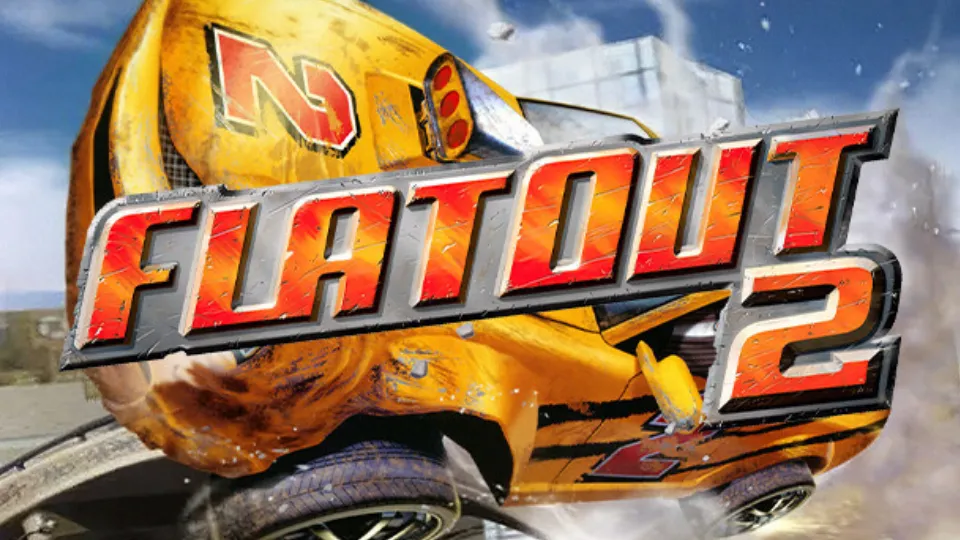
FlatOut 2 is an arcade racing game built around destruction. You can crash into opponent cars, destroy objects, and cause large accidents during races.
The game offers career mode, demolition events, multiplayer modes, and special challenges. Its simple visual design helps it run on older systems without a dedicated GPU.
Main features:
- Destruction-based racing
- Career mode
- Demolition derbies
- Multiple race types
- Fun crash physics
- Low hardware requirements
FlatOut 2 is not designed to be a realistic driving simulator. It is better suited to players who want fast, chaotic, and entertaining races.
Best for: Players who enjoy car crashes and action-focused racing.
4. Live for Speed
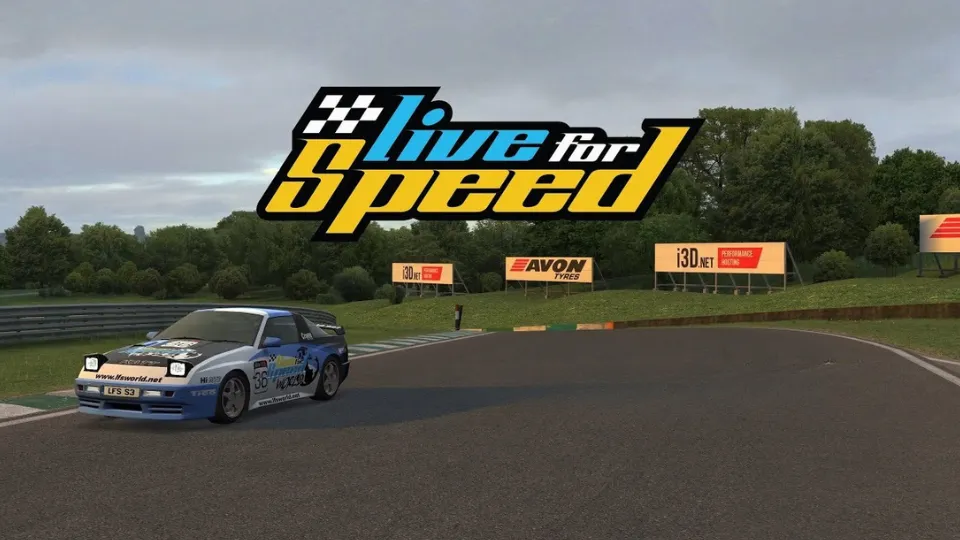
Live for Speed is a lightweight racing simulator with realistic driving physics. Unlike arcade games, it requires more careful braking, steering, and cornering.
The game supports different vehicles, racing circuits, online racing, controllers, and steering wheels. It can be played with a keyboard, but a controller or wheel provides better control.
Why it is good for low-end PCs:
- Lightweight game engine
- Realistic vehicle physics
- Multiple cars and tracks
- Online racing support
- Controller and wheel compatibility
- Suitable for older computers
Best for: Players who want realistic racing on a basic PC.
Live for Speed is a good option if you care more about driving mechanics than high-resolution graphics.
5. Absolute Drift

Absolute Drift is a minimalist racing game focused on drifting. Instead of traditional circuit racing, the main goal is to control your car through corners and achieve high drift scores.
The game uses a simple visual style, so it can run smoothly on computers with basic integrated graphics. However, its controls can take time to master.
Main features:
- Drift-focused gameplay
- Simple graphics
- Small download size
- Different challenges
- Smooth performance
- Easy-to-understand controls
Best for: Players who enjoy drifting and skill-based gameplay.
Absolute Drift is also a good choice if you want a game that does not take up much storage space.
6. Horizon Chase Turbo
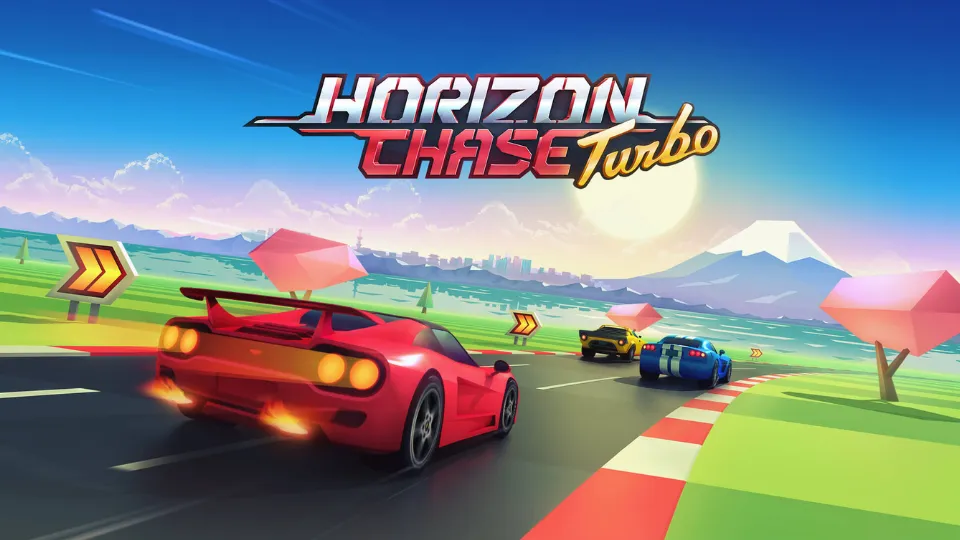
Horizon Chase Turbo is a colorful arcade racing game inspired by classic racing titles. It uses simple controls, fast tracks, and a retro-style visual design.
The game includes multiple locations, vehicles, tournaments, and multiplayer options. It is easy for beginners to learn and does not require realistic driving knowledge.
Why you should try it:
- Colorful retro graphics
- Fast and simple gameplay
- Easy controls
- Multiple locations
- Local multiplayer
- Good performance on basic systems
Best for: Casual players, retro racing fans, and local multiplayer gaming.
7. Asphalt 8: Airborne
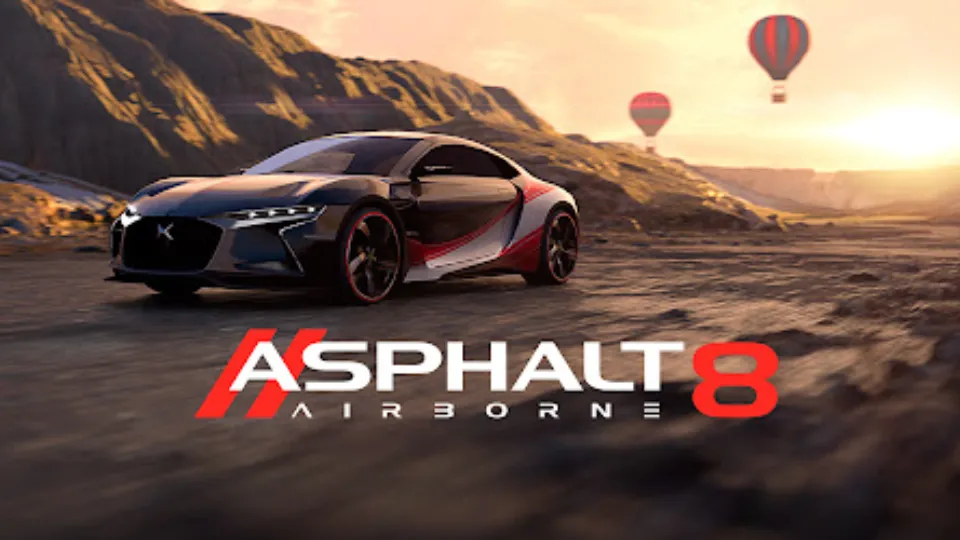
Asphalt 8: Airborne is a fast arcade racing game with jumps, stunts, nitro boosts, and many cars. It is more demanding than older racing games on this list, but it may run on some low-end PCs with integrated graphics when using low settings.
Performance depends heavily on your processor, RAM, and integrated GPU. Before installing it, check whether your system meets the current requirements.
Recommended settings:
- Resolution: 1280×720
- Graphics quality: Low
- Anti-aliasing: Off
- Motion blur: Off
- Shadows: Low
- Background applications: Closed
Best for: Players who want colorful arcade racing and stunt-based gameplay.
8. GeneRally 2

GeneRally 2 is a lightweight top-down racing game for players who have very basic hardware. It focuses on small tracks, quick races, and simple controls.
The game does not provide the same visual experience as modern racing games, but it can be a good option for an old computer or laptop.
Main features:
- Simple top-down racing
- Lightweight gameplay
- Small hardware requirements
- Quick races
- Easy controls
Best for: Very old PCs and players who enjoy simple racing games.
Also read: How to Increase FPS
Which Racing Game Is Best for Your PC?
For a PC with 4GB RAM
Try these games first:
- TrackMania Nations Forever
- Live for Speed
- FlatOut 2
- Absolute Drift
- GeneRally 2
Close your browser and other applications before starting the game. If possible, use a computer with dual-channel RAM for better integrated graphics performance.
For a PC with 8GB RAM and Intel Iris Xe Graphics
You can try:
- Asphalt 8: Airborne
- Horizon Chase Turbo
- TrackMania Nations Forever
- Need for Speed: Most Wanted
- Absolute Drift
Lightweight games may work at medium settings, but 720p resolution and low settings will generally provide more stable performance.
Also read: Top Open World Games
For a very old laptop
Start with:
- GeneRally 2
- Live for Speed
- TrackMania Nations Forever
- Absolute Drift
- Need for Speed: Most Wanted
Avoid newer realistic racing games because they may require a dedicated graphics card.
Best Racing Games by Category
| Category | Recommended game |
|---|---|
| Best overall | TrackMania Nations Forever |
| Best street racing | Need for Speed: Most Wanted |
| Best destruction racing | FlatOut 2 |
| Best simulation | Live for Speed |
| Best drifting game | Absolute Drift |
| Best retro racing game | Horizon Chase Turbo |
| Best for very old PCs | GeneRally 2 |
| Best arcade racing | Asphalt 8: Airborne |
Best Graphics Settings for Low-End PCs
Use these settings if your racing game is lagging:
- Resolution: 1280×720
- Display mode: Fullscreen
- Texture quality: Low or Medium
- Shadow quality: Low
- Anti-aliasing: Off
- Motion blur: Off
- Reflections: Low or Off
- Ambient occlusion: Off
- View distance: Low or Medium
- V-Sync: Off if it causes input delay
- Frame-rate limit: 30 or 60 FPS
If the game still performs poorly, reduce the resolution to 1024×768 or lower the texture and shadow settings.
Lowering shadows, reflections, and resolution usually provides the biggest performance improvement.
How to Fix Low FPS in Racing Games
Close background programs
Close unnecessary applications before launching a game, including:
- Web browsers
- Video players
- Screen recorders
- Download managers
- Game launchers
- Unused applications
This gives the game more RAM and processor resources.
Update your graphics driver
Outdated Intel or AMD graphics drivers can cause low FPS, crashes, and compatibility problems. Install the latest compatible driver from your computer manufacturer or the official Intel or AMD website.
Restart your PC after installing the driver.
Select a performance power mode
On Windows, open:
Settings > System > Power & battery > Power mode
Select the performance-focused power mode while your laptop is connected to a charger.
Upgrade your RAM
If your computer has only 4GB RAM, upgrading to 8GB can improve overall gaming smoothness. Integrated graphics use system RAM, so memory configuration can affect performance.
If your computer supports it, using two compatible RAM modules may provide better performance than using a single module.
Install the game on an SSD
An SSD can reduce loading times and may help with texture loading. It will not always increase FPS, but it can make Windows and games feel more responsive.
Prevent overheating
Overheating can cause your processor to reduce its speed, which may lead to FPS drops and stuttering.
To improve cooling:
- Clean dust from the vents.
- Place the laptop on a hard surface.
- Do not use it on a bed or blanket.
- Keep the air vents uncovered.
- Use a cooling stand if necessary.
How to Check Your PC Specifications
To check your processor and RAM:
- Open Settings.
- Select System.
- Click About.
- Check the processor and installed RAM.
To check your integrated graphics:
- Press
Windows + X. - Select Device Manager.
- Expand Display adapters.
- Check the name of your graphics processor.
Common integrated graphics include:
- Intel HD Graphics
- Intel UHD Graphics
- Intel Iris Xe Graphics
- AMD Radeon Graphics
- AMD Radeon Vega Graphics
Before installing a game, compare your system with its current minimum requirements.
Common Problems and Solutions
The game does not start
Try these solutions:
- Update your graphics driver.
- Install DirectX.
- Install Microsoft Visual C++ Redistributables.
- Run the game as administrator.
- Verify or repair game files.
- Restart your computer.
The game shows a black screen
Try the following:
- Launch the game in windowed mode.
- Lower the resolution.
- Delete corrupted configuration files.
- Update the graphics driver.
- Select a resolution supported by your display.
The game keeps stuttering
Reduce these settings:
- Shadows
- Reflections
- Anti-aliasing
- View distance
- Texture quality
- Resolution
Also close unnecessary applications and check whether the computer is overheating.
The controller is not detected
Follow these steps:
- Disconnect and reconnect the controller.
- Try another USB port.
- Install the correct controller driver.
- Check the game’s controller settings.
- Restart the game after connecting the controller.
The game crashes during a race
Possible solutions include:
- Update Windows.
- Update the graphics driver.
- Verify the game files.
- Disable overlays.
- Lower the graphics settings.
- Free up storage space.
- Check the computer’s temperature.
Can You Play Racing Games Without a Dedicated Graphics Card?
Yes, you can play many racing games without a dedicated GPU. Older racing games, indie games, and well-optimized titles can run on Intel or AMD integrated graphics.
However, modern realistic racing games usually need more powerful hardware. You may need a dedicated graphics card for higher-resolution graphics, large open worlds, advanced lighting, and stable performance at higher frame rates.
For the best results on a low-end PC:
- Use 720p resolution.
- Select low graphics settings.
- Close background applications.
- Keep your drivers updated.
- Play while the laptop is connected to power.
- Keep the computer cool.
- Use an SSD if possible.
Final Verdict
You do not need a high-end gaming PC to enjoy racing games. TrackMania Nations Forever is the best overall choice for competitive racing, while Need for Speed: Most Wanted is ideal for street-racing fans.
Choose FlatOut 2 if you enjoy destruction, Live for Speed if you prefer realistic driving, and Absolute Drift if drifting is your favorite racing style. For extremely old computers, GeneRally 2 is a lightweight option worth trying.
Start with 1280×720 resolution and low graphics settings. Then increase individual settings gradually until you find the best balance between image quality and smooth performance.